


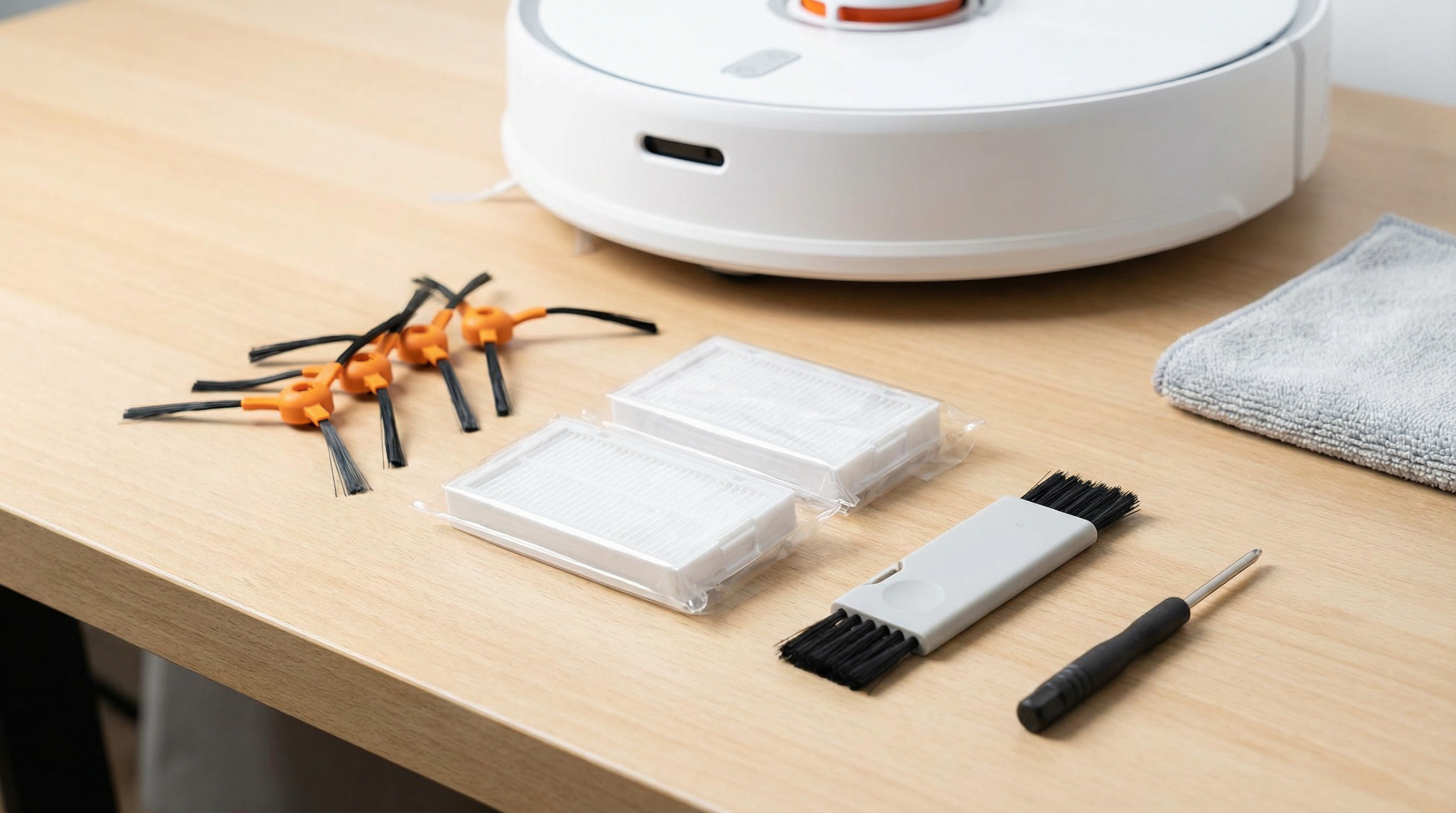
Quick Answer
Proper robot vacuum maintenance involves weekly filter cleaning, monthly brush replacement checks, quarterly sensor cleaning with isopropyl alcohol, and annual battery conditioning. Most maintenance issues stem from clogged filters (causing suction loss), tangled brushes (navigation errors), or dirty sensors (mapping problems). Regular upkeep extends robot vacuum lifespan from 3-5 years to 6-8 years.
This article contains affiliate links. TheRoboWire may earn a commission on qualifying purchases at no extra cost to you. See our affiliate disclosure for details.
Essential Daily and Weekly Robot Vacuum Care
Robot vacuum maintenance starts with establishing consistent daily habits. After each cleaning cycle, empty the dustbin completely to prevent odor buildup and maintain optimal suction power. Check for obvious debris wrapped around the main brush roller, particularly hair and string that can cause mechanical stress.
Weekly maintenance should include removing and cleaning the filter system. Most robot vacuums use HEPA or standard mesh filters that require gentle cleaning. For HEPA filters, tap gently to remove dust particles—never wash with water unless explicitly stated by the manufacturer. Standard mesh filters can typically be rinsed with cool water and air-dried for 24 hours before reinstallation.
Inspect the charging contacts weekly for dust accumulation. Clean contacts ensure reliable charging and prevent intermittent power issues that can disrupt scheduled cleaning cycles. Use a dry microfiber cloth or cotton swab to clean both robot and dock contacts.
Monthly Deep Cleaning Procedures
Monthly maintenance involves more thorough component inspection and cleaning. Remove all brushes and accessories for detailed cleaning. The main roller brush typically accumulates the most debris and requires careful attention to bearing areas where hair wrapping occurs.
For iRobot Roomba® models, the rubber roller system requires different care than traditional bristle brushes. Clean rubber rollers with warm, soapy water and ensure complete drying before reinstallation. Traditional bristle brushes need hair cutting with scissors and gentle cleaning with a small brush or old toothbrush.
Side brushes wear more quickly than main brushes due to their contact with walls and furniture legs. Inspect for bent or missing bristles that can affect cleaning performance along edges. Most manufacturers recommend side brush replacement every 3-6 months depending on usage frequency.
Check wheel assemblies for hair wrapping and debris accumulation. Clean wheel wells with compressed air or a small brush to maintain smooth movement. Inspect for unusual wear patterns that might indicate navigation or mechanical issues.
Sensor Cleaning and Calibration
Robot vacuum sensors require quarterly deep cleaning for optimal performance. Different sensor types need specific cleaning approaches to maintain accuracy and prevent navigation errors.
Optical sensors, used in models like the Neato Botvac™ series, require gentle cleaning with lens cleaning solution or isopropyl alcohol on a cotton swab. Never use water directly on optical components. Clean in a circular motion from center outward to prevent scratching.
Infrared cliff sensors prevent falls down stairs and need regular cleaning to function properly. Located on the robot’s underside, these sensors accumulate dust and pet hair. Use compressed air to remove loose debris, followed by gentle wiping with a slightly damp cloth.
LIDAR sensors on premium models like the Roborock S7™ require the most careful maintenance. Never disassemble the rotating LIDAR unit. Clean the transparent cover with microfiber cloth and optical cleaning solution. Visible scratches on LIDAR covers can significantly impact mapping accuracy.
Contact sensors that detect walls and obstacles can be cleaned with slightly damp cotton swabs. Ensure complete drying before operation to prevent electrical issues.
Filter Replacement and Maintenance
Understanding filter types and replacement schedules prevents costly repairs and maintains cleaning efficiency. HEPA filters in premium robot vacuums like the Shark IQ Robot™ provide superior allergen filtration but require more frequent attention than standard filters.
Standard filters typically last 2-3 months with regular cleaning, while HEPA filters may need replacement every 1-2 months in homes with pets or high dust levels. Visual inspection provides the best replacement indicator—faded color, persistent odors, or visible damage signal replacement time.
Some robot vacuums feature washable filters, but water washing should only be performed when manufacturer instructions explicitly allow it. Improper filter washing can damage filter media and reduce effectiveness.
UV sterilization capabilities in models like the ILIFE V3s Pro require special filter consideration. UV-compatible filters withstand light exposure without degradation, but standard filters may deteriorate faster in UV-equipped robots.
Brush Replacement and Optimization
Brush maintenance directly impacts cleaning performance and robot longevity. Different floor types require different brush configurations for optimal results.
Hard floor cleaning benefits from rubber roller systems found in newer Roomba® models. These rollers resist hair tangling and provide consistent contact with smooth surfaces. Replace rubber rollers when surface texture becomes smooth or visible cracks appear.
Carpet cleaning requires bristle brush systems that agitate carpet fibers effectively. Monitor bristle length and density—worn bristles reduce carpet cleaning efficiency significantly. Professional technicians recommend replacement when bristle length decreases by 25% from original length.
Combination brush systems offer versatility but require more frequent inspection. The Bissell CrossWave™ Pet Pro features dual brush rolls optimized for different debris types. Regular inspection ensures both brush types maintain effectiveness.
Aftermarket brush options can provide cost savings, but compatibility verification is crucial. OEM brushes guarantee proper fit and performance, while third-party options may offer enhanced features like anti-tangle design.
Battery Care and Longevity
Robot vacuum batteries require specific care procedures to maximize lifespan and maintain runtime performance. Lithium-ion batteries in modern robots can last 2-4 years with proper maintenance.
Avoid complete discharge cycles that can damage battery cells. Most robots feature automatic charging return, but manual intervention may be necessary if the robot becomes stuck during cleaning.
Monthly battery conditioning involves allowing complete discharge followed by uninterrupted charging to 100%. This process recalibrates battery management systems and provides more accurate runtime estimates.
Temperature extremes affect battery performance significantly. Store robots in temperatures between 60-80°F (15-27°C) for optimal battery health. Cold temperatures reduce runtime, while heat accelerates battery degradation.
Replacement batteries cost $50-150 depending on robot model and capacity. Professional replacement ensures proper installation and calibration, though many users can perform replacement with basic tools.
Troubleshooting Common Issues
Understanding common robot vacuum problems enables quick resolution and prevents minor issues from becoming major repairs.
Reduced Suction Power: Usually indicates clogged filters, full dustbin, or blocked airflow paths. Check filter condition, empty dustbin, and inspect for debris in suction ports.
Navigation Errors: Often result from dirty sensors, low battery, or environmental changes. Clean all sensors thoroughly and ensure adequate lighting for optical navigation systems.
Brush Jams: Hair wrapping around brush bearings causes most jam issues. Remove brushes and clear all wrapped material. Check for damaged brush mounts that might allow hair entry.
Charging Problems: Dirty contacts, faulty dock positioning, or battery issues cause charging failures. Clean all contacts and ensure proper dock placement on hard, level surfaces.
App Connectivity Issues: Wi-Fi interference or outdated firmware can disrupt smart features. Reset network connections and check for firmware updates in the manufacturer’s app.
Professional Maintenance Services
Annual professional maintenance can extend robot vacuum lifespan significantly. Professional services typically include complete disassembly, internal component cleaning, bearing lubrication, and diagnostic testing.
Authorized service centers provide warranty-compliant maintenance using OEM parts and procedures. Independent repair shops may offer cost savings but could void manufacturer warranties.
Professional diagnostic tools can identify developing issues before they cause failures. Internal component wear, motor efficiency, and sensor accuracy testing help prioritize maintenance activities.
Seasonal deep cleaning services prepare robots for high-usage periods. Pre-holiday maintenance ensures reliable operation during increased cleaning demands.
FAQ
How often should I replace robot vacuum filters?
Replace standard filters every 2-3 months and HEPA filters every 1-2 months, depending on usage frequency and home conditions. Homes with pets or high dust levels require more frequent replacement. Visual inspection provides the best replacement indicator—look for discoloration, persistent odors, or visible damage.
Can I wash robot vacuum filters with water?
Only wash filters if manufacturer instructions explicitly allow water cleaning. HEPA filters typically cannot be washed and should only be tapped gently to remove dust. Standard mesh filters can often be rinsed with cool water, but must air-dry completely for 24 hours before reinstallation to prevent motor damage.
Why does my robot vacuum keep getting stuck in the same place?
Repeated stuck incidents usually indicate dirty cliff sensors, worn wheels, or environmental obstacles the robot cannot detect properly. Clean all sensors with isopropyl alcohol, check for hair wrapped around wheels, and ensure adequate lighting for navigation systems. Consider adding virtual barriers if the area continues causing problems.
How long should robot vacuum batteries last before replacement?
Quality lithium-ion batteries in robot vacuums typically last 2-4 years with proper care. Runtime reduction below 50% of original performance indicates replacement need. Monthly conditioning cycles and avoiding complete discharge can extend battery life. Replacement costs range from $50-150 depending on model and capacity.
What causes robot vacuum suction to gradually decrease over time?
Gradual suction loss typically results from accumulated debris in airflow paths, aging filters, or motor wear. Check for clogs in the dust bin area, replace filters regularly, and ensure brushes rotate freely. Internal component wear may require professional diagnosis if basic maintenance doesn’t restore performance.
Should I run my robot vacuum daily or less frequently?
Daily operation is ideal for most homes and helps prevent debris accumulation that can stress components. However, adjust frequency based on household conditions—homes with minimal traffic can operate every other day, while pet owners may benefit from twice-daily cycles. More frequent operation with shorter cycles often works better than infrequent long sessions.
