


Affiliate Disclosure: This article contains affiliate links. We may earn a commission if you purchase products through our links, at no additional cost to you. This helps support our independent testing and reviews.
Quick Answer: Smart Home Budget Breakdown
Build a complete smart home for under $500: Tier 1 ($100) covers basic lighting and voice control, Tier 2 ($250) adds security and climate control, Tier 3 ($500) includes entertainment and advanced automation. Focus on Zigbee/Z-Wave protocols, Amazon® Alexa or Google Assistant™ hubs, and expandable ecosystems.
Smart Home Budget Tiers and Strategy
Building a smart home doesn’t require massive upfront investment. A strategic approach focusing on high-impact, affordable devices creates an expandable foundation that delivers immediate benefits while supporting future growth.
Budget Philosophy:
- Start with daily-use items for immediate value
- Choose expandable ecosystems over proprietary systems
- Prioritize devices with multiple functions
- Focus on automation potential, not just remote control
Tier 1: Essential Smart Home ($100 Budget)
This foundational tier establishes basic automation and voice control capabilities with maximum impact per dollar spent.
Hub and Voice Control ($35-50)
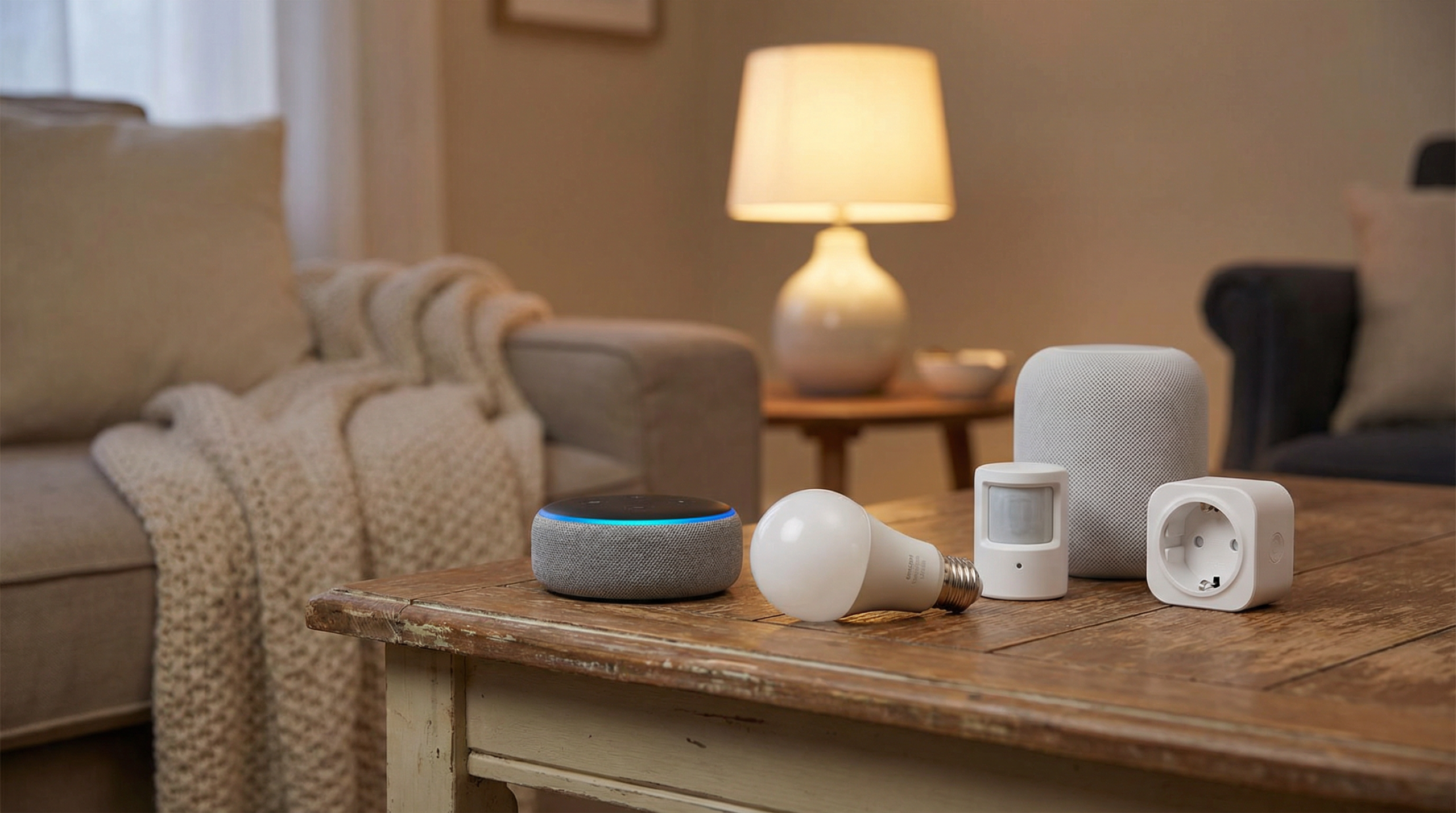
Amazon® Echo Dot (5th Gen) – $30-40
- Built-in Zigbee hub eliminates need for separate bridge
- Voice control for lights, music, timers, and smart devices
- Supports thousands of compatible devices
- Compact design fits anywhere in your home
Alternative: Google Nest Mini™ – $35-45
- Google Assistant integration
- Thread/Matter support for future devices
- Better music quality than Echo Dot
Smart Lighting ($40-65)
Kasa Smart Bulbs (4-pack) – $25-35
- No hub required, connects directly to WiFi
- Dimming, scheduling, and color options available
- Works with Alexa, Google Assistant, Apple® HomeKit
- Energy monitoring in newer models
Sengled Smart Bulbs (6-pack) – $30-40
- Zigbee protocol for mesh network benefits
- Lower power consumption than WiFi bulbs
- Excellent value per bulb
Smart Switch Option: Kasa Smart Switch – $15-20
- Controls existing fixtures without changing bulbs
- Neutral wire required for most models
- Better long-term value for permanent fixtures
Tier 1 Shopping List
| Device | Price Range | Priority |
|---|---|---|
| Echo Dot or Nest Mini | $30-45 | Essential |
| Smart Bulbs (4-pack) | $25-35 | High |
| Smart Plug (2-pack) | $15-25 | High |
| Total Tier 1 | $70-105 | — |
Immediate Benefits: Voice-controlled lighting, scheduled automation, remote control of lamps and appliances.
Tier 2: Enhanced Automation ($250 Budget)
Building on the foundation, Tier 2 adds security, climate control, and more sophisticated automation capabilities.
Security and Monitoring ($60-100)
Wyze Cam v3 (2-pack) – $35-50
- 1080p HD video with night vision
- Motion detection with smartphone alerts
- Cloud storage options starting at $2/month
- Two-way audio communication
Ring Video Doorbell Wired – $40-60
- Live video monitoring of front door
- Motion detection and visitor alerts
- Integration with Ring ecosystem
- Requires existing doorbell wiring
Budget Alternative: Blink Mini – $25-35
- Indoor security camera with cloud storage
- Easy setup with smartphone app
- Motion alerts and two-way talk
Climate Control ($50-80)
Honeywell T5 Smart Thermostat – $60-80
- Programmable scheduling with smartphone control
- Energy savings reports and optimization
- Works with most HVAC systems
- 7-day programming with vacation mode
Budget Option: Emerson Sensi Touch – $40-60
- Touchscreen interface with app control
- Easy DIY installation
- Energy usage tracking
Motion and Environmental Sensors ($30-50)
Aqara Motion Sensor (3-pack) – $25-35
- Zigbee connectivity with 2-year battery life
- Instant motion detection for automation triggers
- Compact design mounts anywhere
Aqara Door/Window Sensor (4-pack) – $25-40
- Security monitoring and automation triggers
- Ultra-compact design
- Low battery consumption
Advanced Lighting Control ($40-70)
Lutron Caseta Dimmer Switch (2-pack) – $50-70
- Professional-grade dimming without neutral wire
- Works with any bulb type
- Excellent reliability and range
- Requires Lutron hub (sold separately – $80)
Budget Alternative: Treatlife Smart Dimmer (3-pack) – $30-45
- WiFi-based, no hub required
- Dimming and scheduling features
- Voice control compatibility
Tier 2 Expanded Shopping List
| Category | Recommended Device | Price Range |
|---|---|---|
| Security | Wyze Cam v3 (2-pack) | $35-50 |
| Doorbell | Ring Video Doorbell Wired | $40-60 |
| Climate | Honeywell T5 Thermostat | $60-80 |
| Sensors | Motion + Door Sensors | $50-75 |
| Advanced Lighting | Smart Dimmers (2-pack) | $30-50 |
| Total Additional | — | $215-315 |
| Total with Tier 1 | — | $285-420 |
Tier 3: Advanced Smart Home ($500 Budget)
The final tier adds entertainment integration, advanced sensors, and sophisticated automation scenarios.
Entertainment and Media ($80-120)
Amazon® Fire TV Stick 4K Max – $35-55
- 4K streaming with Dolby Vision and Atmos
- Voice remote with TV control
- Smart home device control from TV interface
Roku Streaming Stick 4K+ – $40-60
- Universal remote with voice control
- Private listening via mobile app
- Works with most smart home platforms
Smart Speaker Upgrade: Echo Studio – $150-200
- Premium audio quality with spatial processing
- Built-in smart home hub capabilities
- Music streaming optimization
Advanced Automation Hub ($50-100)
SmartThings® Hub v3 – $70-100
- Local processing for faster response times
- Supports Zigbee, Z-Wave, and WiFi devices
- Advanced automation rules and scenes
- Battery backup for power outages
Hubitat Elevation – $90-120
- Local processing with privacy focus
- Advanced rule engine for complex automation
- No cloud dependency for core functions
Smart Kitchen and Appliances ($60-100)
Smart Plugs with Energy Monitoring (4-pack) – $30-50
- Monitor energy usage of connected devices
- Schedule high-energy appliances for off-peak hours
- Remote control and automation triggers
Smart Water Leak Detector (3-pack) – $40-60
- Prevent water damage with early alerts
- Battery-powered with smartphone notifications
- Place near water heater, washing machine, sinks
Outdoor and Security Expansion ($50-80)
Solar-Powered Security Light – $25-40
- Motion-activated outdoor lighting
- No wiring required with solar charging
- Deterrent effect and safety lighting
Smart Garage Door Opener – $25-40
- Control and monitor garage door remotely
- Works with existing garage door openers
- Smartphone alerts for open/close status
Complete Tier 3 Budget Breakdown
| Budget Tier | Devices Included | Total Investment |
|---|---|---|
| Tier 1 ($100) | Voice hub, smart bulbs, smart plugs | $70-105 |
| Tier 2 ($250) | + Security cameras, thermostat, sensors | $215-315 |
| Tier 3 ($500) | + Entertainment, advanced hub, outdoor | $100-180 |
| Grand Total | Complete smart home ecosystem | $385-600 |
Protocol Selection and Ecosystem Planning
Choosing the right communication protocols ensures device compatibility and optimal performance.
WiFi-Based Devices
Advantages:
- No additional hub required
- Easy setup with smartphone apps
- Wide device selection and competitive pricing
Disadvantages:
- Can overwhelm router with many devices
- Higher power consumption
- Potential network congestion
Best For: Starter setups, apartments, basic automation
Zigbee Protocol
Advantages:
- Mesh network improves range and reliability
- Low power consumption extends battery life
- Local processing reduces internet dependency
- Standardized protocol ensures compatibility
Requirements: Compatible hub (Echo Plus, SmartThings, Hubitat)
Best For: Expandable systems, battery-powered sensors, whole-home automation
Z-Wave Protocol
Advantages:
- Dedicated frequency band avoids WiFi interference
- Strong mesh network with excellent range
- Mature ecosystem with broad device support
Disadvantages:
- Higher device costs than Zigbee/WiFi
- Requires dedicated hub
- Regional frequency variations
Best For: Reliable whole-home automation, premium setups
Smart Home Automation Ideas Under $500
Maximize your investment with these automation scenarios using budget-friendly devices.
Morning Routine Automation
Devices Needed: Smart bulbs, smart plug for coffee maker, motion sensor
Automation:
- 6:30 AM: Gradually brighten bedroom lights
- Motion detected in hallway: Turn on coffee maker
- Weekday schedule: Adjust thermostat to 72°F
Total Cost: $60-90
Security and Safety Automation
Devices Needed: Door sensors, motion detectors, smart lights
Automation:
- Door opens after 10 PM: Turn on entry lights
- No motion for 30 minutes: Turn off all lights
- Away mode: Random light patterns for security
Total Cost: $80-120
Energy Saving Automation
Devices Needed: Smart thermostat, energy monitoring plugs, smart switches
Automation:
- Nobody home: Lower thermostat by 3°F
- High energy usage detected: Send smartphone alert
- Bedtime: Turn off all non-essential devices
Total Cost: $100-150
DIY Installation and Setup Tips
Most budget smart home devices support DIY installation, saving professional setup costs.
Pre-Installation Planning
Electrical Safety:
- Turn off circuit breakers when installing switches
- Test circuits with non-contact voltage tester
- Consult electrician for complex wiring
Network Preparation:
- Ensure strong WiFi coverage throughout home
- Document WiFi password and network name
- Consider mesh router if coverage is inadequate
Device Setup Best Practices
Order of Installation:
- Set up voice assistant/hub first
- Install smart switches and outlets
- Add sensors and security devices
- Configure automation rules last
Common Installation Mistakes:
- Not checking for neutral wire before buying smart switches
- Placing hub in poor central location
- Mixing incompatible protocols without bridge devices
- Overloading WiFi network with too many devices
Expansion and Upgrade Path
Plan future smart home growth to maximize your initial investment.
Next-Level Upgrades ($500-1000 Budget)
Premium Devices to Consider:
- Smart Door Lock: Keyless entry with smartphone control ($150-250)
- Whole-Home Audio: Sonos or Bose multiroom speakers ($200-400)
- Advanced Security: Professional monitoring service ($20-40/month)
- Smart Irrigation: Automated sprinkler control ($100-200)
Long-Term Ecosystem Decisions
Matter Protocol Integration: New standard for device interoperability
- Ensures future device compatibility
- Reduces vendor lock-in concerns
- Simplifies multi-brand setups
Professional Integration: When to consider professional help
- Structured wiring for whole-home systems
- Security system integration
- HVAC advanced controls
Budget Shopping Strategies
Maximize value with strategic purchasing approaches.
Best Times to Buy
Prime Shopping Events:
- Amazon® Prime Day: July, 30-50% discounts on Echo devices
- Black Friday: November, deep discounts on major brands
- End of Year: December, clearing older model inventory
- Back to School: August, deals on STEM and tech products
Money-Saving Tips
Bundle Deals:
- Starter kits often provide better value than individual devices
- Multi-packs reduce per-unit costs significantly
- Ecosystem bundles (Alexa + compatible devices) offer savings
Refurbished and Open-Box:
- Manufacturer refurbished products include full warranty
- Open-box items from retailers often heavily discounted
- Check return policies and warranty coverage
Frequently Asked Questions
Can I really build a smart home for under $500?
Yes, focusing on high-impact devices like smart lighting, voice control, basic security, and climate control provides comprehensive automation. Start with Tier 1 essentials ($100) and expand gradually based on your priorities and budget.
Which smart home ecosystem is best for beginners on a budget?
Amazon® Alexa offers the best value for budget setups with built-in Zigbee hubs in newer Echo devices, extensive device compatibility, and frequent sales. Google Assistant™ is also excellent with strong AI and growing Matter support.
Should I choose WiFi or Zigbee devices for budget smart home?
WiFi devices cost less upfront and work without additional hubs, making them ideal for small setups. Zigbee devices require a hub but offer better reliability, battery life, and expansion potential for larger homes.
How much can smart home automation actually save on energy bills?
Smart thermostats alone can save 10-15% on heating/cooling costs ($100-300 annually). Smart plugs and automated lighting add another 5-10% savings. Total savings often offset device costs within 2-3 years while providing convenience benefits.
Getting Started: Your First $100 Investment
Begin your smart home journey with maximum impact using this proven starter approach:
Week 1: Purchase Echo Dot and smart bulb starter pack
Week 2: Set up voice control and basic lighting automation
Week 3: Add smart plugs for lamp and appliance control
Week 4: Create your first automation routines
This foundation provides immediate convenience while establishing an expandable platform for future growth. Focus on daily-use scenarios first, then expand based on your household’s specific needs and preferences.
