


Quick Answer
The best smart lock for most people in 2026 is the Yale Assure Lock 2 ($299) for its Matter support, multiple unlock methods, and reliability. For retrofit installations, the August WiFi Smart Lock ($279) works with existing deadbolts. Budget users should consider the Ultraloq U-Bolt Pro WiFi ($199), while Apple users will love the Level Lock+ ($329) for its invisible design.
Best Smart Locks 2026: Complete Keyless Entry Guide
This article contains affiliate links. TheRoboWire may earn a commission on qualifying purchases at no extra cost to you. See our affiliate disclosure for details.
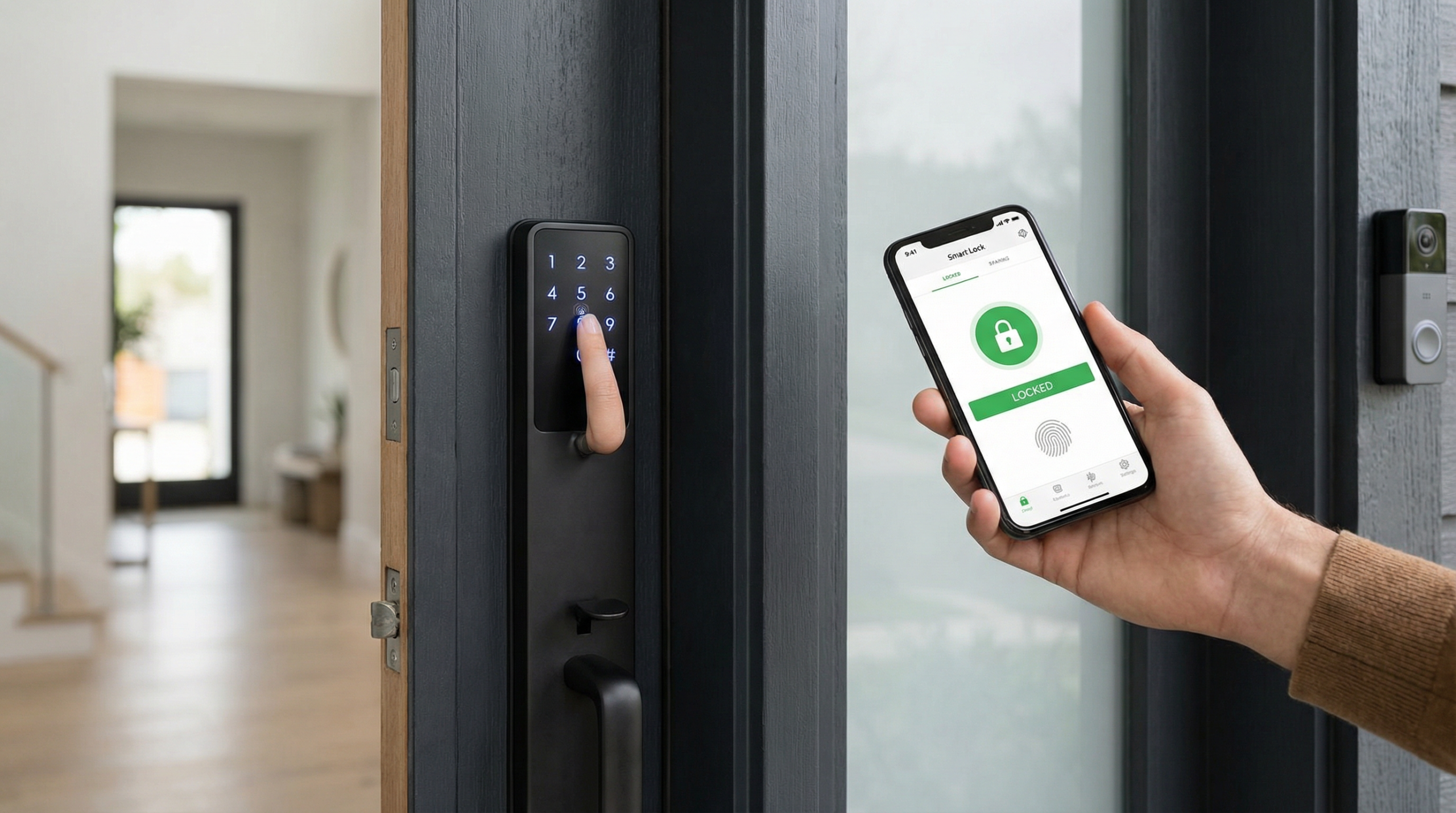
Smart locks have evolved from novelty gadgets to essential home security components in 2026. With improvements in battery life, connectivity reliability, and integration with smart home ecosystems, modern smart locks offer convenience without compromising security. The introduction of Matter™ support has further simplified compatibility across platforms.
This comprehensive guide examines the best smart locks available in 2026, covering traditional deadbolt replacements, retrofit options, and specialized solutions for different use cases. We’ve tested each lock for security, reliability, battery life, and ease of use to help you choose the perfect keyless entry solution.
Smart Lock Types and Technologies
Deadbolt Replacement Locks
These locks completely replace your existing deadbolt mechanism:
- Most secure installation method
- Usually include physical keyway backup
- Require complete lock removal and replacement
- Best for new construction or full security upgrades
Retrofit Smart Locks
These attach to existing deadbolts from the interior:
- Preserve existing key functionality
- Easier installation process
- Less visible from exterior
- Good for rental properties or temporary installations
Connectivity Technologies
Wi-Fi Direct Connection:
- Direct internet connectivity
- Remote access from anywhere
- Higher battery drain
- Requires strong Wi-Fi signal at door
Bluetooth Low Energy (BLE):
- Excellent battery life
- Local smartphone connectivity
- Limited range (typically 30 feet)
- No remote access without hub
Z-Wave/Zigbee Hub-Based:
- Excellent battery life
- Reliable mesh networking
- Requires compatible hub
- Strong automation capabilities
Matter over Thread:
- Universal platform compatibility
- Local operation with cloud backup
- Excellent battery efficiency
- Future-proof technology
Best Overall: Yale Assure Lock 2
Price: $299 | Connectivity: Matter over Thread, Wi-Fi | Type: Deadbolt replacement
The Yale® Assure Lock 2 represents the pinnacle of smart lock evolution in 2026. With native Matter support, multiple connectivity options, and Yale’s reputation for security, it offers the best balance of features, reliability, and future-proofing.
Key Features
- Matter over Thread for universal compatibility
- DoorSense technology detects door position
- Auto-relock with customizable timing
- 9V battery backup for emergencies
- Weather-resistant design rated for extreme conditions
Unlock Methods
- Keypad: 4-8 digit PIN codes
- Physical key: Traditional key backup
- Smartphone: Auto-unlock and remote control
- Voice assistants: Alexa®, Google Assistant®, Siri®
Pros
- Matter support ensures broad compatibility
- DoorSense eliminates “is my door locked?” anxiety
- Excellent build quality and weather resistance
- Long battery life (8-12 months typical)
- Professional-grade security features
Cons
- Higher price point than basic models
- Keypad design may not suit all aesthetics
- Requires complete deadbolt replacement
Best Retrofit: August WiFi Smart Lock
Price: $279 | Connectivity: Wi-Fi, Bluetooth | Type: Retrofit
The August® WiFi Smart Lock pioneered the retrofit approach and remains the best option for those wanting to preserve their existing lock hardware while adding smart functionality.
Key Features
- Preserves existing keys and exterior appearance
- Auto-unlock and auto-lock capabilities
- DoorSense Pro monitors door position
- Guest access management
- Works with most standard deadbolts
Installation Advantages
- 15-minute installation process
- No drilling or major modifications
- Keeps existing door aesthetic
- Ideal for rental properties
- Maintains key functionality
Pros
- Easiest installation of any smart lock
- Preserves existing lock investment
- Sophisticated auto-unlock geofencing
- Robust guest management features
- Strong third-party integrations
Cons
- Battery life shorter than keypad models
- Bulky interior appearance
- Requires smartphone for all smart features
- Wi-Fi dependence for remote access
Best Budget Option: Ultraloq U-Bolt Pro WiFi
Price: $199 | Connectivity: Wi-Fi, Bluetooth | Type: Deadbolt replacement
The Ultraloq® U-Bolt Pro WiFi delivers impressive smart lock functionality at an accessible price point, proving that advanced features don’t require premium pricing.
Key Features
- 6-in-1 keyless entry methods
- Built-in Wi-Fi connectivity
- Anti-peep keypad technology
- BHMA Grade 1 security certification
- Bridge-free smartphone connectivity
Unlock Methods
- Fingerprint recognition (up to 95 fingerprints)
- Keypad entry
- Smartphone app
- Physical key backup
- Auto-unlock
- Voice assistant integration
Pros
- Excellent value for feature set
- Multiple convenient unlock methods
- No monthly fees or subscriptions
- Good build quality for price point
- Easy app-based management
Cons
- Fingerprint reader can be inconsistent
- Shorter battery life than premium models
- Limited smart home ecosystem integration
- Customer support could be better
Best for Apple Users: Level Lock+
Price: $329 | Connectivity: HomeKit, Matter | Type: Retrofit (invisible)
The Level Lock+ takes the retrofit concept to its logical extreme with an almost completely invisible design that integrates seamlessly with Apple’s® ecosystem while maintaining the original door appearance.
Key Features
- Invisible exterior design
- Native HomeKit and Matter support
- Touch-to-open functionality
- Auto-unlock with iPhone proximity
- Tamper and forced-entry alerts
Design Innovation
- Motor and electronics fit entirely within deadbolt
- No visible changes to door exterior
- Maintains original lock aesthetic
- Touch-sensitive exterior for unlocking
Pros
- Completely invisible smart lock conversion
- Premium HomeKit integration
- Excellent build quality and reliability
- No drilling or complex installation
- Strong security features
Cons
- Most expensive option
- Limited to iPhone users effectively
- Touch unlock requires specific technique
- Not compatible with all deadbolt types
Best Security Features: Schlage Encode Plus
Price: $349 | Connectivity: Wi-Fi, Bluetooth | Type: Deadbolt replacement
Schlage® has long been synonymous with lock security, and the Encode Plus brings military-grade encryption and advanced security features to the smart lock category.
Security Features
- Military-grade AES 256-bit encryption
- BHMA Grade 1 certification
- Anti-pick pins and reinforced strike plate
- Alarm technology with tamper detection
- Secure key exchange protocols
Smart Features
- Built-in Wi-Fi (no hub required)
- 30 user access codes
- Activity history and notifications
- Auto-lock with customizable delays
- Voice assistant compatibility
Pros
- Best-in-class physical security
- Advanced encryption and digital security
- Robust construction and weather resistance
- No hub required for remote access
- Excellent battery life
Cons
- Higher price point
- Thicker profile than some competitors
- Setup can be complex for non-technical users
- Limited smart home ecosystem integration
Smart Lock Installation Guide
Pre-Installation Assessment
Door Compatibility Check:
- Measure door thickness (typically 1⅜” to 1¾”)
- Verify deadbolt backset (2⅜” or 2¾” standard)
- Check door swing direction and clearance
- Ensure door frame is solid and aligned
Network Requirements:
- Wi-Fi signal strength at door location
- Smart home hub compatibility if required
- Power outlet access for some models
- Smartphone compatibility verification
Installation Process
Deadbolt Replacement Locks:
- Remove existing deadbolt completely
- Install new strike plate and latch mechanism
- Mount exterior and interior assemblies
- Install batteries and test mechanical operation
- Connect to network and configure app
Retrofit Locks:
- Verify existing deadbolt compatibility
- Remove interior thumb turn
- Attach smart lock mechanism to existing deadbolt
- Install batteries and test operation
- Connect to smartphone and configure settings
Security Considerations
Physical Security
Lock Grade Ratings:
- BHMA Grade 1: Highest residential security standard
- BHMA Grade 2: Good security for most residential applications
- BHMA Grade 3: Basic security, adequate for low-risk situations
Anti-Tampering Features:
- Alarm systems for forced entry attempts
- Anti-pick pins and bump-proof cylinders
- Reinforced strike plates and deadbolt construction
- Tamper-resistant exterior components
Digital Security
Encryption Standards:
- AES 128-bit minimum encryption
- TLS for data transmission
- Secure key exchange protocols
- Regular firmware security updates
Access Management:
- Temporary access codes with expiration
- Activity logging and notifications
- Multiple user permission levels
- Remote access revocation capabilities
Battery Life and Maintenance
Battery Performance by Type
Keypad Models:
- Typical life: 8-12 months
- 4 AA batteries standard
- Low battery warnings via app
- Emergency power options available
Retrofit Models:
- Typical life: 3-6 months
- Lithium battery packs common
- Higher drain due to motor usage
- Auto-lock features reduce battery life
Wi-Fi Models:
- Generally shorter battery life
- Signal strength affects consumption
- Some offer hardwired power options
- Standby modes help extend life
Maintenance Best Practices
- Clean keypad and fingerprint readers monthly
- Lubricate mechanical components annually
- Update firmware when available
- Test backup unlock methods regularly
- Monitor battery levels proactively
Smart Home Integration
Popular Platform Support
Amazon Alexa:
- Voice commands for locking (unlocking requires PIN)
- Integration with Alexa routines
- Status announcements
- Guard mode integration
Google Assistant:
- Voice control with verification
- Nest ecosystem integration
- Routine automation support
- Activity tracking
Apple HomeKit:
- Siri voice control
- Home app native integration
- Automation with other HomeKit devices
- Secure video integration (select models)
Advanced Automation Ideas
- Arrival automation: Unlock door, turn on lights, adjust thermostat
- Departure routine: Lock all doors, arm security system, adjust climate
- Night mode: Auto-lock all doors at specified time
- Guest management: Temporary codes with automated notifications
Troubleshooting Common Issues
Connectivity Problems
Wi-Fi Connection Issues:
- Check signal strength at door location
- Verify 2.4GHz network availability
- Restart router and smart lock
- Update lock firmware
- Reset network settings if necessary
Bluetooth Pairing Problems:
- Clear Bluetooth cache on smartphone
- Ensure lock is in pairing mode
- Remove interference sources
- Update smartphone app
Mechanical Issues
Lock Not Engaging Properly:
- Check door alignment and frame condition
- Verify strike plate alignment
- Lubricate deadbolt mechanism
- Adjust auto-lock force settings
Keypad Responsiveness:
- Clean keypad with appropriate cleaner
- Check for physical damage
- Verify battery charge level
- Recalibrate if option available
Frequently Asked Questions
Are smart locks secure enough for home protection?
Modern smart locks often exceed traditional lock security when properly installed and configured. Look for BHMA Grade 1 certification, strong encryption (AES 256-bit), and locks from reputable security companies. The convenience features shouldn’t compromise the fundamental security function.
What happens if the battery dies or Wi-Fi goes out?
Most smart locks include multiple backup access methods. Physical key backups are common, and many models accept emergency power from a 9V battery applied to external terminals. Wi-Fi outages typically don’t affect local smartphone or keypad access.
Can smart locks be hacked?
While no technology is 100% secure, modern smart locks use strong encryption and security protocols. Choose locks with regular firmware updates, avoid older models with known vulnerabilities, and follow security best practices like using unique access codes and monitoring activity logs.
How difficult is smart lock installation?
Retrofit models typically install in 15-30 minutes with basic tools. Full deadbolt replacement requires more work but is manageable for most homeowners with basic DIY skills. Professional installation is available and recommended for complex installations or if you’re uncomfortable with the process.
Do smart locks work during power outages?
Yes, smart locks operate on battery power and function normally during power outages. Local features like keypad and smartphone access continue working. Remote access may be limited if your internet router is also affected by the outage.
How often should I change access codes?
Change access codes when someone who knew them no longer needs access (former employees, house guests, service providers). For high-security situations, consider rotating codes monthly. Most smart locks make this process simple through their mobile apps.
Future Trends in Smart Lock Technology
Emerging Technologies
Enhanced Biometrics:
- Improved fingerprint accuracy and speed
- Facial recognition integration
- Palm print reading technology
- Multi-factor biometric authentication
AI and Machine Learning:
- Behavioral pattern recognition
- Predictive auto-unlock timing
- Enhanced security threat detection
- Adaptive battery management
Integration Improvements
- Better cross-platform compatibility through Matter
- Enhanced video doorbell integration
- Improved security system coordination
- Energy management integration
Buying Guide: Choosing Your Smart Lock
Budget Considerations
Under $200: Basic smart locks with limited features
$200-300: Full-featured locks with good reliability
$300+: Premium features, superior build quality, advanced security
Feature Priorities
Security-Focused Users:
- BHMA Grade 1 certification
- Strong encryption standards
- Tamper detection and alerts
- Physical key backup
Convenience-Focused Users:
- Multiple unlock methods
- Auto-unlock/auto-lock features
- Voice assistant integration
- Easy guest access management
Smart Home Enthusiasts:
- Matter or comprehensive platform support
- Advanced automation capabilities
- Integration with security systems
- Activity monitoring and logging
Conclusion
The smart lock market in 2026 offers excellent options for every use case, budget, and security requirement. The Yale Assure Lock 2 leads our recommendations for its Matter support, comprehensive features, and proven reliability. For retrofit applications, the August WiFi Smart Lock remains unmatched in ease of installation and functionality.
Budget-conscious buyers will find excellent value in the Ultraloq U-Bolt Pro WiFi, while Apple ecosystem users should seriously consider the Level Lock+ for its innovative invisible design. Security-focused users can’t go wrong with the Schlage Encode Plus and its military-grade encryption.
When choosing a smart lock, prioritize security features, ensure compatibility with your existing door hardware, and consider your smart home ecosystem requirements. The convenience of keyless entry, remote access, and automated features makes smart locks a worthwhile investment for most homeowners.
As the technology continues evolving with Matter standardization and improved battery efficiency, smart locks are becoming more reliable and user-friendly while maintaining the security standards we expect from traditional locks. Choose based on your specific needs, and enjoy the convenience and peace of mind that modern smart lock technology provides.
