


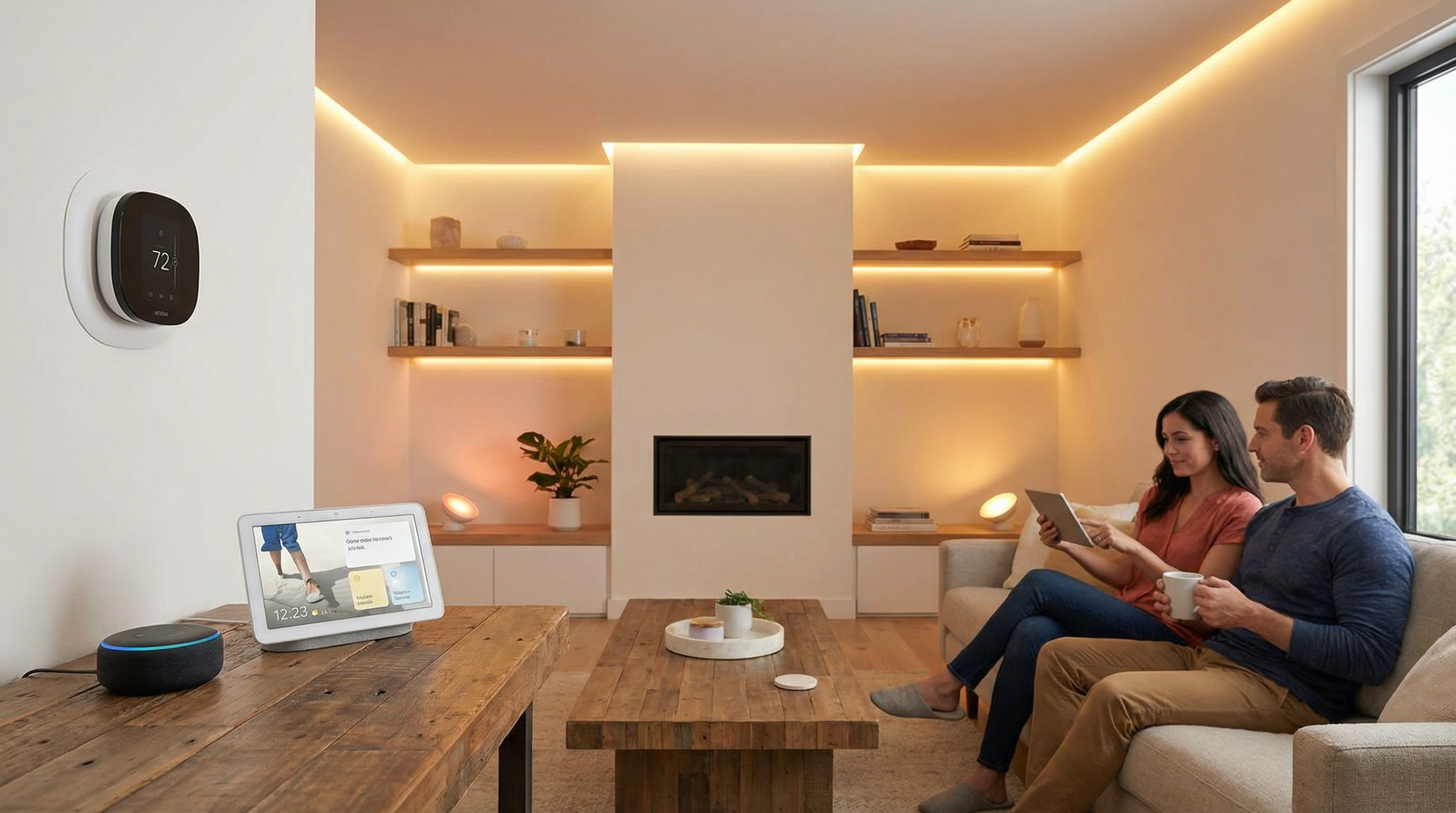
By the end, you’ll have a clear roadmap to automate your home intelligently — without wasting money on gadgets that don’t talk to each other.
What Is Smart Home Automation?
Smart home automation is the use of internet-connected devices to control and automate household functions — lighting, climate, security, entertainment, and more. Instead of manually flipping switches or adjusting thermostats, your home responds to schedules, sensors, voice commands, or your location.
At its core, automation means devices communicate with each other. Your motion sensor tells your lights to turn on. Your door lock tells your thermostat you’re home. Your smart speaker becomes the central command. The key difference between a “smart home” and just having smart devices is integration — everything working together as a system.
Key Concepts You Need to Know
- Hub vs. Hubless: Some devices need a central hub (like a SmartThings Station or Hubitat), while others connect directly to Wi-Fi. Hubs add reliability; Wi-Fi devices are simpler to set up but can clog your network.
- Protocols: Devices communicate via Wi-Fi, Zigbee, Z-Wave, Thread, or Bluetooth. Matter is the new universal standard designed to unify them all.
- Routines/Automations: Pre-programmed sequences — “When I leave home, turn off all lights and lock the doors.”
- Scenes: Preset configurations — “Movie Night” dims lights to 20%, closes blinds, and turns on the TV.
- Geofencing: Location-based triggers using your phone’s GPS.
Smart Home Ecosystems Compared: Which Platform Should You Choose?
Your ecosystem choice is the single most important decision in smart home automation. It determines which devices work together, how you control them, and how frustrated (or delighted) you’ll be long-term. Here’s an honest breakdown of the major platforms.
Amazon Alexa
Alexa has the largest device compatibility of any ecosystem. With thousands of supported “Skills” and devices, it’s the safest bet if you want maximum flexibility. Echo speakers are affordable entry points, and Alexa’s voice recognition handles multiple users well.
Best for: People who want the widest device support and don’t mind Amazon’s ecosystem. Great for voice-first households.
Google Home
Google Home excels at contextual understanding — you can ask follow-up questions naturally. The Google Home app was completely redesigned in 2024 and now offers robust automation features. Nest devices integrate seamlessly, and Chromecast support means easy media control.
Best for: Android users, households that want the best voice assistant intelligence, and anyone already using Google services.
Apple HomeKit
HomeKit is the most privacy-focused ecosystem. All data is processed locally or encrypted end-to-end. The Home app is clean and intuitive, and Siri integration works across iPhone, iPad, Mac, Apple Watch, and HomePod. The downside: fewer compatible devices and generally higher prices.
Best for: Apple households that prioritize privacy, reliability, and a polished interface over sheer device variety.
Samsung SmartThings
SmartThings is the most protocol-agnostic platform. The SmartThings Station hub supports Zigbee, Z-Wave, Thread, and Matter — making it a true multi-protocol hub. Samsung’s appliance integration is unmatched if you have Samsung TVs, fridges, or washers.
Best for: Tech-savvy users who want multi-protocol support and don’t want to be locked into one voice assistant.
Home Assistant (Open Source)
Home Assistant is the power user’s dream. It runs locally on a Raspberry Pi or mini PC and supports over 2,000 integrations. You get complete control, zero cloud dependency, and infinite customization. The trade-off is a steeper learning curve.
Best for: DIY enthusiasts, privacy advocates, and anyone who wants total control without vendor lock-in.
Platform Comparison Table
| Feature | Amazon Alexa | Google Home | Apple HomeKit | SmartThings | Home Assistant |
|---|---|---|---|---|---|
| Device Compatibility | ★★★★★ | ★★★★☆ | ★★★☆☆ | ★★★★☆ | ★★★★★ |
| Ease of Setup | ★★★★★ | ★★★★☆ | ★★★★☆ | ★★★☆☆ | ★★☆☆☆ |
| Voice Assistant Quality | ★★★★☆ | ★★★★★ | ★★★☆☆ | ★★★☆☆ | ★★☆☆☆ |
| Privacy | ★★☆☆☆ | ★★☆☆☆ | ★★★★★ | ★★★☆☆ | ★★★★★ |
| Automation Power | ★★★☆☆ | ★★★☆☆ | ★★★☆☆ | ★★★★☆ | ★★★★★ |
| Matter Support | Yes | Yes | Yes | Yes | Yes |
| Local Processing | Partial | Partial | Yes | Partial | Yes |
| Starting Cost | $25 (Echo Pop) | $30 (Nest Mini) | $99 (HomePod Mini) | $45 (Station) | $50 (Green/Pi) |
| Best For | Broadest compatibility | Voice intelligence | Apple users / Privacy | Multi-protocol | Power users / DIY |
Matter Protocol: The Game Changer for Smart Homes
If there’s one thing that’s genuinely changing the smart home landscape, it’s Matter. Developed by the Connectivity Standards Alliance (which includes Apple, Google, Amazon, and Samsung), Matter is an open-source, royalty-free connectivity standard.
What Matter solves: Before Matter, buying a smart bulb meant checking if it worked with YOUR specific ecosystem. Matter devices work with ALL major platforms simultaneously. Buy once, use anywhere.
How it works: Matter runs over Wi-Fi and Thread (a low-power mesh network protocol). It uses local communication, so your devices work even if your internet goes down. Setup is standardized — scan a QR code, and the device appears in whichever app you use.
Current status (2026): Matter 1.4 supports lights, switches, plugs, sensors, locks, thermostats, blinds, cameras, robot vacuums, and major appliances. Adoption is accelerating, with most new devices shipping Matter-ready. If you’re buying new devices today, prioritize Matter compatibility for future-proofing.
Essential Smart Home Devices: Where to Start
Don’t try to automate everything at once. Start with high-impact, easy-to-install devices and expand from there. Here’s our recommended order:
1. Smart Speaker or Display (Your Control Center)
This is ground zero. A smart speaker gives you voice control and serves as a hub for your ecosystem. Our top picks:
- Amazon Echo (4th Gen): Built-in Zigbee hub, excellent sound, Alexa at its best. Around $100.
- Google Nest Hub (2nd Gen): 7″ display, gesture control, sleep tracking. Around $100.
- Apple HomePod Mini: Compact, great sound, Thread border router built in. $99.
2. Smart Lighting (Biggest Visual Impact)
Lighting is the most noticeable upgrade and the easiest to install. You have three approaches:
- Smart bulbs (Philips Hue, LIFX, Nanoleaf): Replace individual bulbs. Best for renters or specific rooms.
- Smart switches (Lutron Caseta, Inovelli): Replace wall switches. Better for whole rooms — anyone can still use the physical switch.
- Smart plugs (TP-Link Kasa, Eve Energy): Instant smart control for any lamp. Cheapest starting point.
Pro tip: Smart switches are almost always better than smart bulbs for ceiling fixtures. Bulbs are great for lamps where you want color-changing capability.
3. Smart Thermostat (Saves Real Money)
A smart thermostat typically pays for itself within a year through energy savings. Top choices:
- Ecobee Smart Thermostat Premium: Room sensors included, built-in Alexa, air quality monitoring. $250.
- Google Nest Learning Thermostat (4th Gen): Learns your schedule automatically, sleek design. $280.
- Amazon Smart Thermostat: Budget option with Alexa integration. $80.
4. Smart Security (Peace of Mind)
Security is where automation truly shines. Key components:
- Video doorbell: Ring Video Doorbell 4 or Google Nest Doorbell (battery). See who’s at the door from anywhere.
- Smart lock: August Wi-Fi Smart Lock or Yale Assure Lock 2. Auto-lock when you leave, unlock when you arrive.
- Indoor/outdoor cameras: Reolink, Eufy, or Arlo for local storage options.
- Contact sensors: Aqara or SmartThings sensors on doors/windows for automation triggers.
5. Robot Vacuum (Daily Convenience)
A robot vacuum is one of the most tangible benefits of a smart home. Set it to clean when you leave, and come back to spotless floors. Check out our robot vacuum reviews for detailed comparisons, but top picks include the Roborock S8 MaxV Ultra and the iRobot Roomba Combo j9+.
How to Set Up Your Smart Home: Step-by-Step
Here’s a practical, no-nonsense setup guide:
Step 1: Upgrade Your Wi-Fi
Before adding any devices, make sure your network can handle them. A mesh Wi-Fi system (like Google Nest WiFi Pro, TP-Link Deco, or Eero) is almost a requirement for homes over 1,500 sq ft. Aim for a router that supports Wi-Fi 6 or 6E, and consider a dedicated IoT network (a separate SSID on the 2.4GHz band) to keep smart devices from slowing down your main network.
Step 2: Choose Your Primary Ecosystem
Pick one platform as your primary controller (see comparison table above). You can always bridge other ecosystems later, but having a clear “home base” prevents confusion. With Matter, this choice is less permanent than it used to be — but it still determines your daily control experience.
Step 3: Start with One Room
Resist the urge to buy everything at once. Pick one room (the living room is ideal) and fully automate it. This teaches you how your chosen ecosystem works, reveals any network issues, and gives you a showcase to plan the rest of the house. Install your smart speaker, a few smart lights, and a smart plug. Create your first automation: lights on at sunset, off at bedtime.
Step 4: Add Automations Gradually
The best automations are the ones you forget about because they just work. Start with these:
- Morning routine: Lights gradually brighten at 6:30 AM, coffee maker turns on, thermostat adjusts to your wake-up temperature.
- Away mode: When everyone leaves (geofencing), turn off all lights, lock doors, lower thermostat, activate cameras.
- Evening mode: At sunset, turn on porch lights, close smart blinds, set living room lights to warm 40%.
- Bedtime: “Goodnight” voice command locks all doors, turns off everything, arms security system, sets thermostat to sleep temp.
Step 5: Expand Room by Room
Once your first room is dialed in, expand to the next highest-impact area. Most people go: living room → bedroom → kitchen → bathroom → outdoor. Each room should have at least one automation that “just works” before moving on.
Advanced Smart Home Automations
Once you’ve got the basics down, these automations take your smart home to the next level:
Presence-Based Automation
Go beyond simple geofencing. Combine phone GPS with motion sensors and door sensors to build true occupancy detection. Example: lights follow you from room to room and turn off behind you — not on a timer, but based on actual presence. Home Assistant excels at this with Bluetooth room presence using ESPresense.
Energy Management
Use smart plugs with energy monitoring (like Shelly Plug S or Eve Energy) to track consumption per device. Set automations to turn off energy vampires when not in use. Pair with a smart thermostat and smart blinds to reduce heating/cooling costs by 15-25%. If you have solar panels, automate high-consumption devices (dishwasher, laundry) to run during peak production hours.
Security Layering
Build a security system without monthly fees. Combine door/window sensors, motion detectors, cameras with local storage, and smart sirens. Automate: if a door opens while nobody is home, send a phone notification, turn on all lights, activate cameras, and play an alarm sound through all smart speakers. Most platforms allow this natively; Home Assistant makes it most customizable.
Voice-Free Automation
The best smart home doesn’t require you to say a word. Use motion sensors for hallway and bathroom lights. Use contact sensors to trigger closet lights. Use time-based routines for daily patterns. Use NFC tags on your nightstand — tap your phone to trigger your bedtime scene without speaking or opening an app.
Smart Home Automation: Pros and Cons
Let’s be honest about what smart home automation delivers — and where it falls short.
Pros
- Convenience: Control everything from your phone or voice, from anywhere in the world.
- Energy savings: Smart thermostats and automated lighting can reduce energy bills by 10-25%.
- Security: Real-time alerts, remote monitoring, and automated responses to security events.
- Accessibility: Voice and app control helps people with mobility limitations manage their home independently.
- Home value: Smart home features are increasingly valued by homebuyers.
- Customization: Tailor your home environment to your exact preferences, automatically.
Cons
- Upfront cost: A fully automated home can cost $1,000-$5,000+ depending on scope.
- Complexity: Setup and troubleshooting can be time-consuming, especially with multiple protocols.
- Reliability: Wi-Fi outages, firmware updates, or server shutdowns can break automations.
- Privacy concerns: Cloud-connected devices send data to company servers. Always review privacy policies.
- Ecosystem fragmentation: Despite Matter, not all devices play nicely together yet.
- Obsolescence: Companies can discontinue products or services (remember Wink? Insteon?).
- Family friction: Not everyone in the household may be comfortable with app-controlled everything.
Common Smart Home Mistakes to Avoid
- Buying before planning: Don’t impulse-buy smart devices. Choose your ecosystem first, then buy compatible devices.
- Ignoring your network: 30+ smart devices on a basic router is a recipe for dropouts. Invest in proper networking first.
- Over-automating: Not everything needs to be smart. A light switch that your guest can’t figure out is a step backward.
- Skipping physical controls: Always keep manual overrides. Smart switches > smart bulbs for primary lighting for this reason.
- Forgetting about family: Your partner and kids need to use the home too. If Grandma can’t turn on a light, your system has failed.
- Cloud dependency: Where possible, choose devices that work locally. Cloud servers go down; your lights shouldn’t go down with them.
- Ignoring security: Change default passwords, enable two-factor authentication, and keep firmware updated. Smart devices are potential entry points for hackers.
Smart Home Budget Guide
Smart home automation doesn’t have to break the bank. Here’s what to expect at different budget levels:
Starter Setup ($150-$300)
- 1 smart speaker ($30-$100)
- 3-4 smart plugs ($30-$50)
- 2-4 smart bulbs ($30-$60)
- 1 smart plug for a lamp/coffee maker ($15)
What you get: Voice-controlled lighting and a few automated devices. A taste of what’s possible.
Mid-Range Setup ($500-$1,500)
- Everything above, plus:
- Smart thermostat ($80-$280)
- Video doorbell ($100-$180)
- Smart lock ($150-$300)
- Additional smart lights for 3-4 rooms ($100-$200)
- 1-2 motion sensors ($30-$60)
What you get: A meaningfully automated home with security, climate control, and multi-room lighting.
Full Setup ($2,000-$5,000+)
- Everything above, plus:
- Mesh Wi-Fi system ($200-$400)
- Smart blinds/shades ($200-$800)
- Home Assistant hub ($50-$150)
- Robot vacuum ($400-$1,500)
- Outdoor cameras and smart garage ($200-$400)
- Smart switches throughout the house ($200-$500)
- Whole-home audio ($200-$600)
What you get: A truly automated home where everything works together seamlessly.
The Future of Smart Home Automation
The smart home landscape is evolving rapidly. Here’s what to watch for:
- AI-powered automation: Devices are getting smarter about learning your habits without manual programming. Expect thermostats, lights, and security systems that adapt in real-time to your patterns.
- Matter expansion: As Matter matures, cross-platform compatibility will become the norm rather than the exception. The days of ecosystem lock-in are numbered.
- Edge computing: More processing is moving to local devices, improving speed and privacy. Your smart home will be less dependent on cloud services.
- Energy grid integration: Smart homes will increasingly interact with the power grid, adjusting consumption based on electricity prices and demand — especially important for EV owners.
- Ambient computing: The trend is toward invisible technology — sensors and AI that understand context without you needing to issue commands or even touch a device.
Frequently Asked Questions
What is the best smart home system for beginners?
Amazon Alexa with Echo devices is the easiest starting point. It has the widest device compatibility, an intuitive app, and affordable hardware. Google Home is a close second, especially for Android users. Both let you start with a $30 speaker and expand over time.
How much does it cost to automate a home?
A basic starter setup costs $150-$300. A solid mid-range setup covering lighting, climate, and security runs $500-$1,500. A comprehensive whole-home automation can cost $2,000-$5,000+. Start small, and add devices as you identify real needs.
Do smart home devices work without internet?
It depends on the device and protocol. Zigbee, Z-Wave, and Thread devices communicate locally and work without internet. Wi-Fi devices vary — some work locally, others require cloud servers. Home Assistant and Apple HomeKit offer the best offline functionality. Matter-enabled devices are designed to work locally by default.
Is smart home automation safe and secure?
Smart home devices can be secure if you follow best practices: use strong, unique passwords for every account; enable two-factor authentication; keep firmware updated; use a separate network for IoT devices; and choose reputable brands. Avoid cheap no-name devices that may lack security updates.
What is Matter and why does it matter?
Matter is a universal smart home standard backed by Apple, Google, Amazon, and Samsung. It allows devices from different manufacturers to work together across all major ecosystems. A Matter-certified light bulb works with Alexa, Google Home, HomeKit, and SmartThings simultaneously. It’s the future of smart home interoperability.
Can I install smart home devices in a rental?
Absolutely. Focus on non-permanent devices: smart plugs, smart bulbs (don’t replace switches), portable sensors, smart speakers, and cameras that don’t require drilling. When you move out, take everything with you. Smart bulbs and plugs are the renter’s best friend.
What’s better: smart bulbs or smart switches?
Smart switches are better for most permanent fixtures — they’re more reliable, anyone can use them, and you keep using regular bulbs. Smart bulbs are better when you want color changing, in lamps, or when you can’t replace the switch (rentals). Many people use both: switches for ceiling lights, bulbs for accent and color lighting.
How do I prevent my smart home from slowing down my Wi-Fi?
Three strategies: First, use a mesh Wi-Fi system for consistent coverage. Second, create a separate 2.4GHz network (VLAN or guest network) dedicated to IoT devices. Third, prioritize Zigbee, Z-Wave, or Thread devices over Wi-Fi devices — these protocols use their own mesh network and don’t touch your Wi-Fi bandwidth at all.
Smart Home Automation for Different Lifestyles
For Families with Kids
Families benefit enormously from smart home automation. Automated bedtime routines help kids wind down — lights gradually dim, white noise machines activate, and nightlights turn on. Smart locks with codes mean no more lost keys, and you can give older kids their own code while tracking when they come and go. Video doorbells let you see who is at the door before the kids answer it. Smart speakers become homework helpers, timers for chores, and even intercom systems between rooms.
For Remote Workers
If you work from home, automation improves focus and productivity. Set up a “Work Mode” scene: office lights to bright daylight temperature (5000K), do-not-disturb on your speaker, and a focus playlist starts automatically. When your work calendar shows a meeting, your lights can change color as a visual cue. At the end of your workday, a routine can transition your office back to relaxation mode, helping you mentally switch off.
For Elderly or Accessibility Needs
Smart home automation can be life-changing for elderly residents or anyone with mobility challenges. Voice control eliminates the need to reach switches. Motion-activated lights prevent falls in dark hallways. Smart sensors can detect unusual patterns — like a door not opening by a certain time — and alert family members. Automated medication reminders, video doorbells for screening visitors, and smart thermostats that maintain safe temperatures all contribute to safer independent living.
Final Thoughts
Smart home automation isn’t about filling your house with gadgets — it’s about making your home work for you. The best smart home is one where technology disappears into the background: lights that know when you’re in a room, a thermostat that saves energy without you thinking about it, and a security system that gives you peace of mind without constant monitoring.
Start with one room, one ecosystem, and a few high-impact devices. Master the basics before going advanced. Choose Matter-compatible devices when possible. And remember: if an automation makes your life harder instead of easier, it’s not a good automation.
The smart home revolution isn’t coming — it’s already here. The only question is how you’ll make it work for your life.
]]>